
ERP guide
Cloud Based ERP for Small Business: An Egypt Starter Guide
In this guide
- Signs you have outgrown spreadsheets
- Is cloud based ERP for small business right for you?
- The benefits of cloud ERP for a small Egyptian business
- Cloud vs on-premise for SMEs
- Free ERP for small business: what you really get
- Choosing the best ERP for startups and growing SMEs
- Data residency and security
- A phased rollout plan
- Egyptian compliance you should configure from day one
- Common mistakes
- FAQ
- Conclusion
You started with Excel and an invoicing app. Now you have three spreadsheets for stock, an accountant chasing receipts on WhatsApp and a VAT return that takes a week. This guide explains when cloud based ERP for small business makes sense in Egypt, what the free and paid options really offer, and how to roll one out in phases without stopping the business.
It is written for founders, owners and finance managers of Egyptian companies with roughly 5 to 100 staff, on the mainland or in a free zone.
Key takeaways
- Move to ERP when the cost of errors, double entry and missing information outweighs the effort of change, not when you hit a magic headcount.
- Cloud ERP suits most Egypt SMEs: no servers to maintain, access from anywhere, and updates handled by the provider.
- Free and open-source ERP is real, but “free” usually means you supply hosting, setup, updates and support yourself.
- Start with accounting, invoicing and VAT, then add inventory, CRM or HR in later phases.
- Check where your data is hosted. Some sectors and clients expect Egyptian data residency.
- Plan for e-invoicing now: Egypt B2B e-invoicing goes live in 2027 for most businesses.
Signs you have outgrown spreadsheets
There is no headcount at which every business needs ERP. A five-person e-commerce brand with 2,000 SKUs may need it sooner than a 30-person consultancy. Look for symptoms instead.
Operational warning signs
- The same data is typed into two or more places: a quote in Word, an order in Excel, an invoice in the accounting app.
- Nobody can tell a customer what is in stock without walking to the warehouse.
- Month-end takes more than a week, and the numbers still feel uncertain.
- Your VAT return depends on one person’s spreadsheet and memory.
- Sales staff do not know whether a customer has paid before they promise more goods.
- Reports for the bank or investors are rebuilt by hand every quarter.
Growth warning signs
- You are opening a second location, warehouse or company (a common step is adding a mainland entity to an existing free zone licence).
- You have started importing or selling in several currencies.
- You are about to hire your first finance manager or operations lead, who will need proper systems.
- A large client or government buyer has asked about your invoicing, data handling or controls.
If three or more of these sound familiar, it is time to look at ERP software for small business, rather than another spreadsheet or another disconnected app.
Is cloud based ERP for small business right for you?
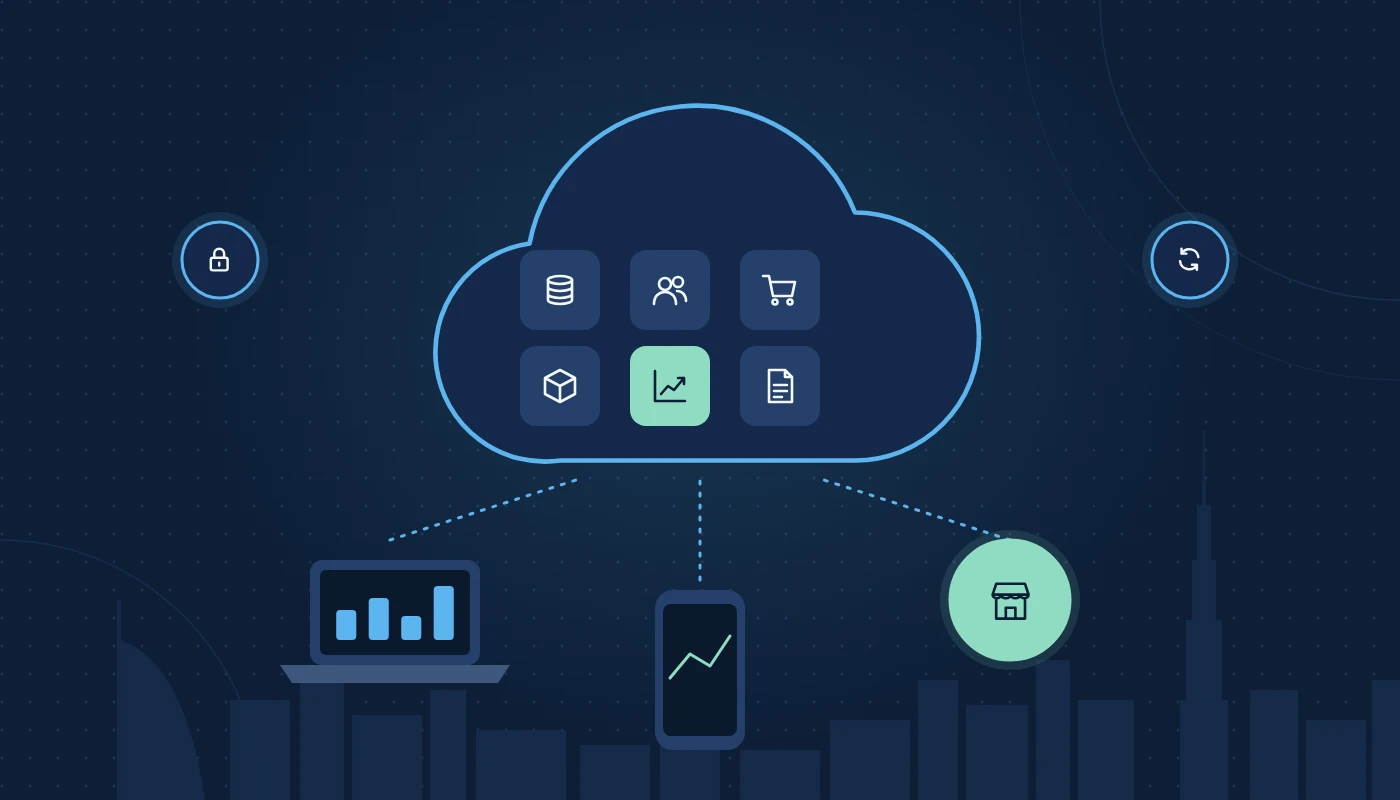
ERP (enterprise resource planning) software brings accounting, sales, purchasing, inventory and often HR and CRM into one system with one database. “Cloud based” means the software runs on the provider’s or a hosting company’s servers, and you use it through a browser or mobile app.
What ERP for SMEs looks like in practice
ERP for SMEs is not the multi-year SAP project of a large enterprise. A typical small business setup is a handful of modules configured with standard processes and gone live in weeks rather than months. A 12-person interior fit-out company in New Cairo, for example, might start with quotations, projects, invoicing, purchasing and accounting, and add timesheets later.
When it might not be right yet
If you issue a few dozen invoices a month, hold no stock and have one person handling finance, good accounting software for Egypt may be enough for now. Choose one that can grow into a wider ERP so you do not need to migrate twice. Our guide to VAT-compliant accounting software covers that option.
The benefits of cloud ERP for a small Egyptian business
The benefits of cloud ERP for a small business go beyond “access from anywhere”, although that matters in a country where owners travel and teams split between offices, sites and home.
Practical benefits
| Benefit | What it means day to day |
|---|---|
| No servers to run | No hardware in a hot cupboard, no backups to remember, no patching |
| Predictable costs | Subscription model scales with users rather than large upfront purchases |
| Automatic updates | New features and tax changes delivered by the provider |
| Mobile access | Approvals, sales orders and stock checks from a phone |
| Faster start | Pre-configured Egyptian charts of accounts and VAT codes in many products |
| Easier collaboration | Accountant, auditor and staff work in the same system with controlled access |
| Built-in resilience | Provider handles redundancy and backups; you still need your own export routine |
The trade-offs
Cloud ERP depends on a reliable internet connection, which is rarely an issue in Egyptian offices but worth considering for remote sites. You also have less control over update timing and deep customisation, and you rely on the provider’s security and availability. These are manageable, but they should be conscious choices.
Cloud vs on-premise for SMEs
On-premise ERP means you own or lease the server, install the software and maintain it. For most small businesses, that is hard to justify.
When cloud usually wins
- You have no in-house IT team.
- You want to start quickly and scale users up or down.
- Your team works across locations or remotely.
- You prefer operating expenditure to capital expenditure.
When on-premise or private hosting may still make sense
- You have strict contractual or regulatory requirements to keep data on infrastructure you control.
- You need heavy customisation that a multi-tenant SaaS will not allow.
- You already have a server room and IT staff.
A middle path is a private cloud or managed hosting arrangement: the ERP runs on dedicated cloud servers that a partner manages for you, often hosted in Egypt. For a fuller comparison, see our page on cloud vs on-premise ERP.
Free ERP for small business: what you really get
Search volumes show that many Egyptian founders look for free ERP for small business. Free options do exist, and some are excellent. But it is important to understand what “free” covers.
Types of free ERP
- Open-source community editions. Software such as Odoo Community and ERPNext can be downloaded and used without licence fees under open-source licences. You need to host it, install it, configure it and keep it updated, or pay someone to.
- Free tiers of cloud products. Some vendors offer a free plan limited by app, users, transactions or revenue. For example, Odoo has offered a single app free on its online platform, and Zoho has offered free plans for some small businesses.
- Free trials. Time-limited full versions, useful for testing, not for running a business.
Honest limits of free editions
| Consideration | What to check |
|---|---|
| Features | Community editions may lack full accounting, payroll, mobile apps or some Egyptian localisation features found in paid editions |
| Hosting | Someone must provide, secure and back up a server |
| Upgrades | Moving between major versions can require technical work |
| Support | Community forums rather than a vendor helpdesk |
| Compliance | You are responsible for VAT and e-invoicing configuration |
| Exit | Check you can export data in usable formats |
When free makes sense
Free or open-source ERP can work well for a technically capable founder, a startup with very simple needs, or a business with a trusted partner who will host and support it. It makes less sense when you need full accounting, payroll or e-invoicing support and have no technical help. The licence is only one part of the total cost of ownership; setup, hosting, training and support usually matter more.
Choosing the best ERP for startups and growing SMEs
There is no single best ERP for startups. The right choice depends on what you sell, how you sell it and how fast you expect to grow.
Questions to answer first
- What do we sell: products, services, projects, subscriptions or a mix?
- Do we hold stock, and where?
- How many people will use the system now, and in two years?
- Do we have, or plan, more than one legal entity?
- Which tools must it connect to: e-commerce store, payment gateway, bank, marketplaces?
- Do we need Arabic documents and an Arabic interface?
Common options for Egypt SMEs
- Odoo ERP: modular, covers accounting, sales, inventory, CRM, HR and e-commerce in one platform; suits startups that want to start small and add apps as they grow.
- Zoho (Books, Inventory, CRM or Zoho One): a suite of connected apps with a strong small-business focus. Our Odoo vs Zoho comparison looks at where each fits.
- Microsoft Dynamics 365 Business Central: a good fit for growing firms already using Microsoft 365.
- ERPNext: open-source and capable, with a smaller Egyptian partner network.
Our overview of ERP software in Egypt explains how these platforms compare for different business types.
Selection checklist
☐ Covers our core processes with standard features (minimal customisation)
☐ Egypt VAT codes, TRN on documents and VAT return reports
☐ Clear path to Egyptian e-invoicing through an Accredited Service Provider
☐ Multi-currency if we buy or sell abroad
☐ Arabic and English invoices
☐ Mobile app for approvals and sales
☐ Integrations with our bank, payment gateway and online store
☐ Known hosting location and data export options
☐ Local implementation and support available in Egypt
☐ Room to add modules (inventory, CRM, HR) without changing platform
Data residency and security
Moving to the cloud means trusting someone else with your financial, customer and employee data. For most small businesses that is an improvement on a laptop in the office, but you should still ask the right questions.
Egyptian rules to be aware of
The Egyptian Personal Data Protection Law (Law No. 151 of 2020 (Personal Data Protection Law)) sets rules for processing personal data, including transfers outside Egypt. Some sectors have stricter rules: health data, for instance, is generally expected to be stored in Egypt, and financial services and government-linked work often carry their own requirements. Free zones such as special economic zones have their own data protection laws.
Even where no law requires it, some clients, especially government entities and larger corporates, ask suppliers where their data is held.
Questions to ask your ERP provider
- In which country and region is our data stored? Can we choose an Egyptian region?
- How often is data backed up, and can we restore it ourselves?
- Is data encrypted in transit and at rest?
- Who at the provider can access our data, and is access logged?
- Can we export all our data if we leave?
Several major cloud platforms now operate UAE regions, and some ERP partners can host in-country. Our page on Egyptian data residency hosting and sovereign cloud explains the options.
Security basics you control
Turn on two-factor authentication for every user, give staff only the access they need, remove leavers on their last day and review who can approve payments. Most incidents in small businesses come from weak passwords and shared logins, not the cloud provider.
A phased rollout plan
Small businesses rarely have spare staff to run a big-bang ERP project. A phased plan keeps the business running while you change systems.
Phase 1: Finance foundation (weeks 1–6)
- Set up the chart of accounts, VAT codes, bank accounts and opening balances.
- Configure invoicing, customer and supplier records, and payment terms.
- Connect bank feeds where available.
- Go live at the start of a VAT period or financial month.
Phase 2: Sales and purchasing (weeks 6–12)
- Quotations, sales orders, purchase orders and approvals.
- Price lists and product catalogue.
- Customer portal or email delivery of invoices.
Phase 3: Operations (months 3–6)
- Inventory, warehouses and barcode scanning if you hold stock.
- Projects and timesheets if you sell services.
- CRM pipeline for the sales team.
Phase 4: People and integrations (months 6+)
- HR, leave and payroll.
- Integrations with e-commerce, marketplaces, POS or logistics partners.
- Management dashboards.
How to keep the rollout on track
- Name one internal owner with authority to make decisions.
- Clean your data before you import it: customers, suppliers, products, opening stock.
- Keep processes standard; customise only where the business genuinely differs.
- Train users on their own tasks, using your own data.
- Run the old and new systems side by side for one cycle where the risk is high.
An experienced ERP implementation company can help with configuration and data loading, while you keep ownership of decisions. For new businesses still setting up IT in general, our page on IT solutions for small business and startups covers email, devices and security alongside ERP.
Egyptian compliance you should configure from day one
Cloud ERP makes compliance easier only if it is set up properly at the start.
VAT
Configure standard-rated (5%), zero-rated and exempt tax codes, reverse charge for imported services, and your TRN on all tax invoices. Make sure the VAT return report maps to the ETA’s return boxes.
Corporate Tax
Egypt Corporate Tax applies at 22.5% on taxable income above the threshold, with small business relief available for eligible businesses below a revenue limit for tax periods up to the end of 2026. Clean, auditable books make returns and any relief claims far simpler. Keep records for the statutory retention period.
E-invoicing
Egypt’s e-invoicing system uses a Peppol-based five-corner model with Accredited Service Providers. Businesses with revenue below EGP 50 million must appoint an ASP by 31 March 2027 and go live on 1 July 2027. Ask any ERP vendor how their product will connect to an ASP before you sign.
Free zone specifics
Free zone companies may qualify as Qualifying Free Zone Persons for Corporate Tax if they meet the conditions, which requires careful tracking of qualifying and non-qualifying income. Set up analytic accounts or tags so you can separate these from the start.
Common mistakes
- Choosing on licence price alone. Implementation, training and support decide success far more.
- Recreating spreadsheets inside the ERP. Use the system’s standard flow; change your process where it is better.
- Migrating years of messy history. Bring opening balances and open items; archive the rest.
- Skipping training. People revert to Excel when they are unsure.
- Over-customising early. Every customisation adds testing and upgrade effort.
- Ignoring data location and exit. Ask before you sign, not when a client asks.
- Leaving e-invoicing for later. 2027 is close; choose a system with a clear path.
Frequently asked questions
What is the best ERP software for small business in Egypt?
It depends on what you sell and how you plan to grow. Odoo, Zoho, Business Central and ERPNext are common choices. Prioritise Egypt VAT and e-invoicing readiness, local support and the ability to add modules later.
Is there a genuinely free ERP for small business?
Yes. Open-source community editions and some vendors’ free tiers have no licence fee. You still need hosting, setup, updates and support, and some features may only be in paid editions.
What does ERP for SMEs typically include?
Accounting, invoicing, VAT, sales, purchasing and often inventory. CRM, HR, payroll, projects and e-commerce can be added as the business grows.
How long does cloud ERP take to implement for a small business?
A finance-first phase can often go live in four to eight weeks. Adding operations and HR modules usually takes a few more months, depending on data quality and team availability.
Is cloud ERP secure enough for Egyptian businesses?
Reputable cloud ERP providers usually offer stronger security than a typical small office server. Check hosting location, encryption, backups and access controls, and enforce two-factor authentication.
Can a free zone company use the same ERP as its mainland sister company?
Yes. Multi-company ERP lets each entity keep separate books, VAT settings and reporting while sharing products, customers and users.
Do I need my data hosted in Egypt?
Not always. It depends on your sector, your clients’ contracts and the type of data you hold. Healthcare, government-related and some regulated businesses often need Egyptian hosting.
Conclusion
Cloud based ERP for small business gives Egypt SMEs what spreadsheets cannot: one set of numbers, VAT and e-invoicing readiness, real-time stock and sales information, and room to grow without changing systems again. Start with finance, add modules in phases, check where your data lives and be realistic about what “free” includes.
For more practical ERP and IT guides, explore our guides library.
Ready to leave the spreadsheets behind?
More ERP guides
Odoo Partners in Egypt: How to Choose the Right One
How to choose among Odoo partners in Egypt: partner levels, success packs explained, questions to ask, red flags and Egyptian localisation.
The ERP Implementation Life Cycle: A Step-by-Step Guide for Egypt Businesses
The ERP implementation life cycle explained for Egyptian businesses: steps, timelines, common challenges, a go-live checklist and how to avoid costly mistakes.
How to Choose the Best ERP Software in Egypt: A 2026 Buyer’s Guide
How to choose the best ERP software in Egypt: requirements checklist, top platforms compared, e-invoicing readiness and picking the right provider.