
IT infrastructure guide
Structured Cabling Guide: Cat6 Cable vs Cat6a, Standards and Installation
In this guide
- What is structured cabling?
- Cable categories at a glance
- Cat6 cable specifications explained
- Cat6 vs Cat6a: which should you install?
- Structured cabling standards you should know
- The components of a cabling system
- Designing the cabling layout
- The structured cabling installation process, step by step
- Testing and certification
- Labelling and documentation
- Fibre backbones and multi-floor offices
- Egypt-specific considerations
- Common mistakes
- FAQ
- Conclusion
Every call, file transfer and CCTV stream in your office depends on copper and fibre hidden above the ceiling. This guide explains what a Cat6 cable can and cannot do, how it compares with Cat6a, which standards a proper installation should follow, and how to plan, install, test and label a cabling system that will last through Egyptian ceiling-void heat and a decade of hardware upgrades.
Key takeaways
- A Cat6 cable supports 1 Gbps to 100 metres and 10 Gbps only over short runs; Cat6a supports 10 Gbps over the full 100-metre channel.
- For most new Egyptian offices, the Cat6 vs Cat6a decision comes down to Wi-Fi 6E/7 access points, PoE-heavy devices and how long you plan to stay in the premises.
- Good cabling follows recognised standards (ANSI/TIA-568, ISO/IEC 11801, TIA-569, TIA-606, TIA-607) rather than an installer’s habits.
- Every link should be certified with a cable analyser and handed over with test reports, drawings and a labelling schedule.
- Hot ceiling voids, dusty risers and building approvals are the three local factors most often overlooked.
What is structured cabling?
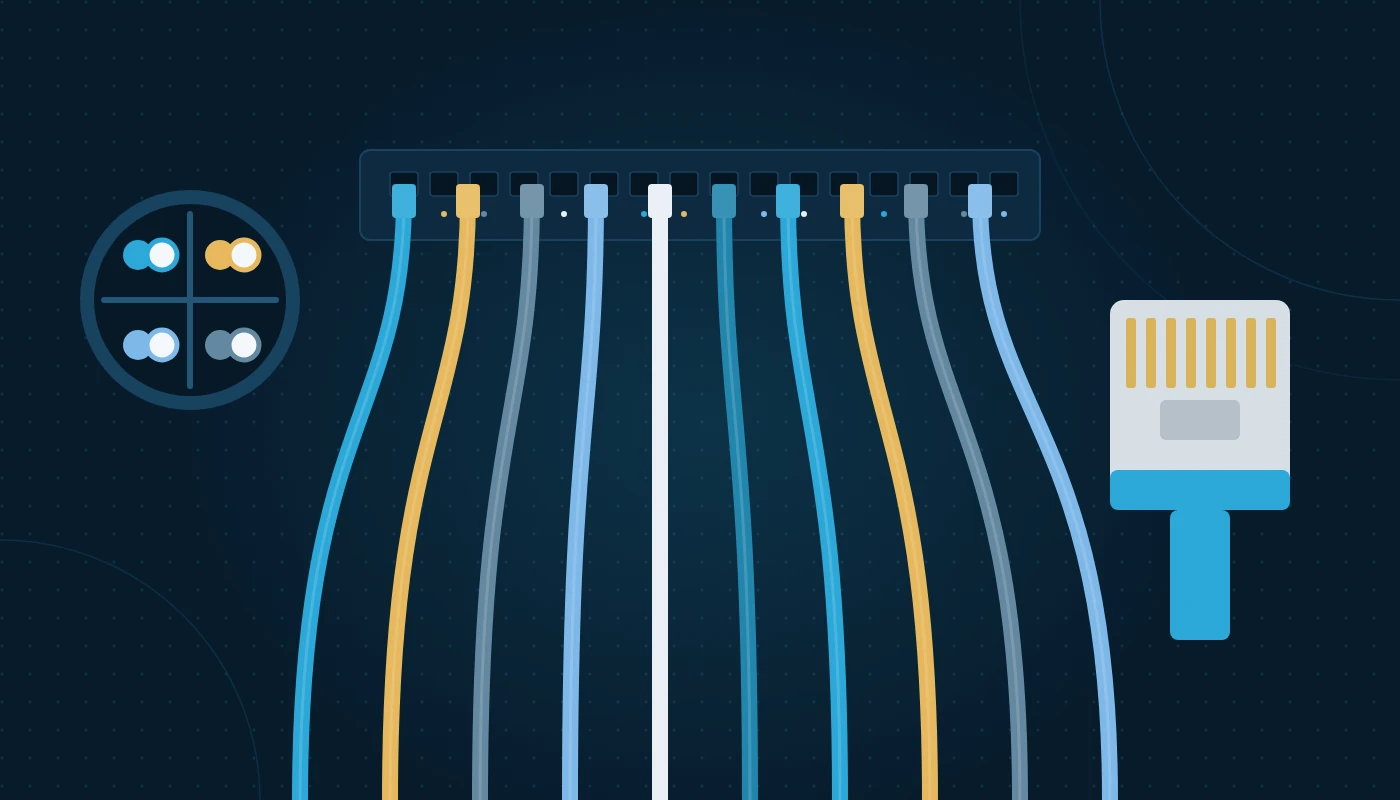
Structured cabling is a standardised, organised way of wiring a building for data and voice. Instead of running a cable from each computer directly to whichever switch happens to be nearby, every outlet is cabled back to a central patch panel in a communications room. From there, short patch cords connect each outlet to the active equipment you choose.
The point is separation. The permanent cabling is installed once and designed to last 15 years or more, while switches and access points change every five to seven years. You can move a desk or upgrade a switch by changing a patch cord rather than pulling new cable.
Structured vs point-to-point cabling
Many older Egyptian offices have point-to-point cabling: mixed categories, unlabelled, hand-crimped and run straight to a switch under a desk. Structured cabling replaces that guesswork with a documented system where every port is numbered, tested and traceable. Specialist structured cabling design is what turns a pile of cable into an asset you can manage.
The six subsystems
Standards divide a system into the entrance facility (where the provider’s line arrives), the equipment room, backbone cabling between rooms (usually fibre), telecom rooms or enclosures serving each zone, horizontal cabling to outlets (usually copper) and the work area at the desk.
Cable categories at a glance
Twisted-pair copper is rated in “categories”, each defining the test frequency and therefore the reliable data rate.
| Category | Tested bandwidth | Typical maximum speed | Max channel length at that speed | Typical use today |
|---|---|---|---|---|
| Cat5e | 100 MHz | 1 Gbps (2.5 Gbps on newer equipment) | 100 m | Legacy installs, low-demand extensions |
| Cat6 | 250 MHz | 1 Gbps; 10 Gbps on short runs | 100 m at 1 Gbps; roughly 37–55 m at 10 Gbps | Standard office desks, phones, printers |
| Cat6a | 500 MHz | 10 Gbps | 100 m | New offices, Wi-Fi 6E/7 APs, PoE-heavy devices |
| Cat7/7A | 600–1,000 MHz | 10 Gbps (ISO classes F/FA) | 100 m | Rare; uses non-RJ45 connectors in its true form |
| Cat8 | 2,000 MHz | 25/40 Gbps | 30 m | Short links between servers and switches |
Note that Cat7 is an ISO class rather than a TIA category, and Cat8 is a short-reach server interconnect product, not a sensible choice for desk outlets.
Cat6 cable specifications explained
When you read a datasheet, these are the Cat6 cable specifications that actually matter.
Electrical performance
A Cat6 cable is tested to 250 MHz and must meet limits for insertion loss, near-end and far-end crosstalk, return loss and propagation delay. A cable that merely “looks like” Cat6 but fails crosstalk tests causes intermittent errors that are hard to trace.
Physical construction
- Conductors: four twisted pairs of solid copper, typically 23 AWG. Avoid copper-clad aluminium (CCA); it is not compliant, runs hotter with PoE and breaks more easily.
- Separator: most Cat6 uses a plastic spline (cross-filler) to keep pairs apart and control crosstalk.
- Outer diameter: typically around 6 mm for U/UTP Cat6, which affects how many cables fit in a tray or conduit.
- Shielding: U/UTP (unshielded) is common in offices. F/UTP and S/FTP add foil or braid and require end-to-end grounding.
- Jacket: PVC, LSZH (low smoke zero halogen) or plenum-rated, depending on building requirements.
Length rules
A standard channel is a maximum of 100 metres: up to 90 metres of permanent link (patch panel to outlet) plus up to 10 metres of patch cords in total. Exceed this and performance degrades quickly. Length limits also shrink when cable runs hotter than 20 °C — a detail that matters in Egyptian ceiling voids, which we cover later.
Power over Ethernet
Cat6 supports PoE, including IEEE 802.3bt (PoE++), which can deliver up to 90 W at the switch port. Large bundles carrying high PoE loads heat up, so installers should limit bundle size and follow guidance such as TIA TSB-184-A on bundling.
Cat6 vs Cat6a: which should you install?
This is the most common question we get from Egyptian office managers. The honest answer depends on what will plug into the cable over its life, not just what you have today.
| Factor | Cat6 | Cat6a |
|---|---|---|
| Bandwidth | 250 MHz | 500 MHz |
| 10 Gbps distance | Short runs only (roughly 37–55 m, depending on alien crosstalk) | Full 100 m |
| Multi-gig (2.5/5 Gbps) for Wi-Fi APs | Supported on most runs | Supported with margin |
| Outer diameter | Smaller, easier to route | Larger and stiffer, needs more tray space |
| PoE heat performance | Good | Better, due to larger conductors and construction |
| Termination time | Faster | Slower; needs more care |
| Expected useful life | Fine for desk outlets for many years | Better for 10–15 year plans |
When Cat6 is enough
Cat6 is sound for desk outlets, IP phones and printers running at 1 Gbps, and suits short leases or extensions to an existing Cat6 system.
When Cat6a is the better call
Choose Cat6a for access point drops (Wi-Fi 6E and Wi-Fi 7 access points increasingly have 2.5 or 5 Gbps uplinks), long runs near the 90-metre limit, high-power PoE devices such as PTZ cameras, and any office you expect to occupy for ten years or more. Many organisations take a hybrid approach: Cat6 to desks, Cat6a to the ceiling drops used by enterprise Wi-Fi solutions and cameras. If you are planning your wireless at the same time, our office Wi-Fi design guide explains how access point uplinks drive this decision.
Cost factors, not price tags
Cat6a is bulkier, slower to terminate and needs larger containment. When comparing quotes, check the cost drivers — component brand, containment, labour, testing and documentation. A quote that omits certification is not comparable with one that includes it.
Structured cabling standards you should know
Structured cabling standards define how a system is designed, installed, tested and administered. Your specification and your installer’s method statement should reference them by name.
| Standard | What it covers |
|---|---|
| ANSI/TIA-568 series (568.0, 568.1, 568.2, 568.3) | Generic cabling, commercial buildings, copper performance (including Cat6/Cat6a) and optical fibre |
| ISO/IEC 11801 | International equivalent; defines classes (E for Cat6, EA for Cat6a) |
| ANSI/TIA-569 | Pathways and spaces: trays, conduits, room sizes, bend radius |
| ANSI/TIA-606 | Administration: labelling and records |
| ANSI/TIA-607 | Bonding and grounding for telecommunications |
| ANSI/TIA-942 | Infrastructure for larger equipment rooms |
| EN 50173 / EN 50174 | European cabling and installation practice, often referenced by consultants |
Standards are revised periodically, so ask your installer which edition they are working to and make sure the test equipment is set to the matching limits. The current letter suffixes (for example 568.2-D or 606-D) should be checked at the time of specification.
Manufacturer warranties
Many manufacturers offer a 15 to 25-year system warranty when a certified installer uses their components end to end and submits test results. Mixing brands usually voids it.
The components of a cabling system
A complete system is more than cable. Each component has to be rated to the same category, or the whole link drops to the lowest common denominator.
In the communications room
- Racks and cabinets: 42U or 47U floor-standing cabinets, or wall-mount cabinets for small floors.
- Patch panels: 24 or 48-port, loaded or modular (keystone).
- Cable managers: keep patch cords tidy and protect bend radius.
- Fibre enclosures: house splice trays and LC adaptors for backbone links.
- Power: rack PDUs fed from a UPS; see our guide to server room requirements for power and cooling planning.
In the pathway
Trays, J-hooks, conduits and trunking carry cables to outlets. Size containment with around 40% spare capacity, and never lay cables on ceiling tiles.
At the desk
Faceplates, floor boxes and keystone jacks, then factory-made patch cords; hand-crimped cords are a frequent source of faults.
Designing the cabling layout
Count the outlets
A typical allowance is two data outlets per workstation, plus outlets for printers, meeting-room screens, door readers, cameras and access points. Add spares where furniture may change; an extra outlet now is far easier than opening a finished ceiling later.
Plan the rooms and the rack
Place the communications room so the furthest outlet stays within the 90-metre permanent link limit, including drops and slack. Large floors may need two telecom rooms linked by fibre. For bigger equipment rooms, professional server room design covers layout, power and airflow together.
Coordinate with other systems
Bring your network solutions design into the same drawing set so switch port counts, PoE budgets and VLAN plans match the number of outlets. Do the same for cameras and door readers — each CCTV installation in Cairo we see goes more smoothly when camera positions are fixed before cabling starts.
The structured cabling installation process, step by step
The structured cabling installation process follows a predictable sequence; skipped steps cause most quality problems.
- Site survey and requirements. Walk the space, confirm ceiling type and height, locate risers and check existing containment. Capture the outlet schedule and rack location.
- Design and drawings. Produce floor plans with outlet IDs, containment routes and rack elevations. Agree the cable category, jacket type and component brand.
- Approvals and coordination. Obtain landlord or building management approval, and coordinate with the fit-out contractor, MEP team and ceiling installers on access windows.
- Containment installation. Install trays, J-hooks and conduits before ceilings close. Keep data containment separated from power cables by the distances in the standards.
- Cable pulling. Pull cables in bundles from the rack location, respecting pulling tension (typically around 110 N for 4-pair cable) and minimum bend radius (four times the cable diameter for UTP).
- Termination. Terminate on patch panels and outlets using the T568A or T568B scheme consistently throughout the site (T568B is more common in Egypt). Untwist pairs as little as possible.
- Dressing and management. Route cables neatly into the rack using managers and Velcro ties, never tight plastic ties that crush the jacket.
- Testing and certification. Test every permanent link with a calibrated cable certifier and fix any failures.
- Labelling. Label both ends of every cable, the patch panel ports and the faceplates according to the agreed scheme.
- Handover. Provide as-built drawings, test reports, labelling schedule and warranty documents.
Checklist: before the ceiling closes
☐ All containment installed and supported at the correct intervals
☐ Cables pulled to every planned outlet, plus agreed spares
☐ Service loop left at the rack and at each outlet
☐ Fire-stopping reinstated wherever cables pass through fire-rated walls or slabs
☐ No cables resting on ceiling grid or tied to sprinkler pipes
☐ Access point and camera positions confirmed against the latest furniture and ceiling plans
☐ Photos taken of containment routes for the as-built record
Testing and certification
A cable that passes a simple continuity test can still fail at speed. Certification means testing each link against the category limits using a field tester such as a Fluke Networks DSX CableAnalyzer or equivalent.
What certification checks
The tester measures wire map, length, propagation delay, insertion loss, near-end and far-end crosstalk, return loss and DC resistance unbalance (important for PoE).
Permanent link vs channel testing
Permanent link testing measures patch panel to outlet — the installer’s responsibility. Channel testing adds the patch cords. Most specifications require permanent link results in native file format plus PDF.
Each link should show “PASS” with positive margin; review any “PASS*” results, and never accept summary sheets without the underlying files.
Labelling and documentation
Labelling saves hours on every future fault. TIA-606 provides a scheme based on location identifiers.
A practical labelling scheme
A common format is floor–room–rack–panel–port, for example 02-TR1-R01-PP03-17. The same identifier appears on the faceplate, on the cable at both ends and on the patch panel port. Use printed, durable labels; handwritten tags fade quickly in a hot ceiling.
What your handover pack should contain
☐ As-built floor plans with outlet IDs
☐ Rack elevation drawings
☐ Certification reports for every link (native files and PDF)
☐ Fibre test results (insertion loss and, for backbones, OTDR traces if specified)
☐ Labelling schedule as a spreadsheet
☐ Manufacturer warranty certificate
☐ List of spare components left on site
Fibre backbones and multi-floor offices
Copper handles horizontal runs; fibre handles distance and bandwidth between rooms.
Choosing fibre type
- OM3/OM4 multimode — common for backbones within a building up to a few hundred metres, supporting 10 Gbps and higher with the right optics.
- OS2 singlemode — the safer long-term choice for longer runs and campus links; it supports very high speeds over kilometres.
Many consultants now default to singlemode for new backbones. Always install more cores than you need — 12 or 24 is typical — because pulling a second fibre later through a shared riser is slow and needs building approvals.
Connecting floors
In multi-tenant towers, building management controls the risers, so plan riser access and fire-stopping early. Two-floor offices normally link their telecom rooms with redundant fibre cores. Planning a complete IT setup for a new office is the easiest time to get this right.
Egypt-specific considerations
International standards do not mention Cairo summers, but your cabling will live through them.
Ceiling-void heat
Ceiling voids under roofs or near façades can exceed 40 °C in summer. Copper’s resistance rises with temperature, so insertion loss increases, and standards require permanent link length to be de-rated at elevated temperatures (unshielded cable more so). For runs near the 90-metre limit in hot zones, either shorten the run or use Cat6a, and check the cable’s maximum operating temperature on the datasheet.
Dust and construction debris
Fit-out sites in Egypt are dusty. Keep racks covered until the space is clean, cap unused fibre adaptors and clean connectors before patching — dirty end-faces are a common cause of high loss.
Fire performance and approvals
Many projects specify LSZH jackets, and building owners or Civil Defence requirements may set fire-performance expectations for cable in certain spaces. Any penetration through fire-rated walls must be properly fire-stopped. In new buildings, in-building telecom infrastructure may also need to comply with the NTRA’s in-building telecommunications guidelines and the operator’s (e& or du) requirements for the entrance facility. Free zone authorities and landlords typically require fit-out approval before work starts.
Working hours and access
Many Cairo and Alexandria buildings restrict noisy or ceiling work in occupied floors to evenings and weekends. Factor this into the programme.
Common mistakes
- Mixing categories and brands. Cat6a cable on Cat6 jacks is a Cat6 link, and mixed brands void warranties.
- Skipping certification. Continuity testers do not prove performance.
- Ignoring the 90-metre rule. Long runs that seem fine at 100 Mbps often fail at gigabit or multi-gig.
- No spare capacity. Full trays and patch panels make every change expensive.
- Unlabelled ports. Time saved at installation is lost many times over in troubleshooting.
- Using CCA cable. It is non-compliant and poor with PoE.
- Treating Wi-Fi and CCTV as afterthoughts. Access point and camera positions should be fixed before cabling starts.
Frequently asked questions
What is structured cabling in simple terms?
A standards-based way of wiring a building so every outlet is cabled back to a central patch panel, tested and labelled, with equipment connected through short patch cords.
Is a Cat6 cable good enough for a new office?
For desk outlets, yes, in most cases. A Cat6 cable carries 1 Gbps reliably over 100 metres. For access points, cameras with high PoE loads and long runs, Cat6a gives more headroom.
What is the real difference in Cat6 vs Cat6a?
Cat6a is tested to 500 MHz instead of 250 MHz, which allows 10 Gbps over the full 100-metre channel and better PoE heat performance. The trade-off is a thicker cable that needs more containment space and installation time.
Which structured cabling standards apply in Egypt?
Most projects reference ANSI/TIA-568 and ISO/IEC 11801 for performance, TIA-569 for pathways, TIA-606 for labelling and TIA-607 for grounding. Consultants may also cite EN 50173/50174. Building and authority requirements sit on top of these.
How long does a cabling installation take?
For a single floor of 50–80 outlets, installation and testing typically take one to two weeks, depending on ceiling access and working-hour restrictions.
Can I reuse existing cabling when I move into a fitted office?
Possibly, but certify every existing link first. If links fail, are unlabelled or are a lower category, re-cabling is often quicker than troubleshooting.
What should I receive at handover?
As-built drawings, rack elevations, certification reports for every link, a labelling schedule, fibre test results and the manufacturer warranty certificate.
Conclusion
Choosing between a Cat6 cable and Cat6a is only one decision in a cabling project. The bigger wins come from designing for the full life of the premises, following recognised structured cabling standards, certifying every link and labelling everything so the next engineer can work quickly. In Egypt, add hot ceiling voids, dust and building approvals to the plan from the start. Get those right and your cabling will quietly support every upgrade for the next decade. For more practical planning advice, browse our full library of IT guides, or see how cabling fits into our wider IT infrastructure solutions.
Ready to plan your office cabling?
More IT infrastructure guides
Server Room Requirements: A Design Checklist for Egypt Offices
Server room requirements explained: space, power, UPS, cooling, temperature, fire suppression, security and monitoring, with a design checklist for Egyptian offices.

Office Relocation Checklist for IT: Move Your Office Without Downtime
A complete office relocation checklist for IT: 12-week timeline, internet lead times, server moves, cabling, Wi-Fi, testing and day-one support for Egyptian offices.

How to Improve Wi-Fi Signal in the Office: A Wi-Fi 6 Design Guide
Improve Wi-Fi signal and speed in your office: Wi-Fi 6 and 6E explained, site surveys, access point placement, guest networks and security for Egyptian businesses.