In this article
- What is IT infrastructure, in plain terms?
- The core IT infrastructure components
- Types of IT infrastructure: traditional, cloud and hybrid
- IT infrastructure examples from Egyptian businesses
- IT infrastructure management: keeping it all healthy
- Signs your IT infrastructure needs attention
- How Egyptian regulations and conditions shape your infrastructure
- Building or upgrading your IT infrastructure: a practical sequence
- FAQ
- Conclusion
Ask ten business owners what is IT infrastructure and you will hear ten answers: “the server”, “our Wi-Fi”, “Microsoft 365”, “the guy who fixes laptops”. All of them are partly right. IT infrastructure is the full set of hardware, software, networks, facilities and services that your applications and people depend on to work every day. This article breaks it into plain parts, explains the main types, and shows how Egyptian businesses of different sizes actually put it together.
If you run a company in Cairo, Alexandria or Giza, understanding your infrastructure is no longer just an IT department concern. It decides whether your team can invoice on time once Egyptian e-invoicing goes live, whether a power cut in August takes your sales system down, and whether an audit for Corporate Tax finds clean, available records.
What is IT infrastructure, in plain terms?
Think of IT infrastructure the way you think of a building’s utilities. Nobody walks into an office to admire the plumbing, the electrical panel or the air-conditioning ducts, but nothing else in the building works without them. IT infrastructure plays the same role for your digital work.
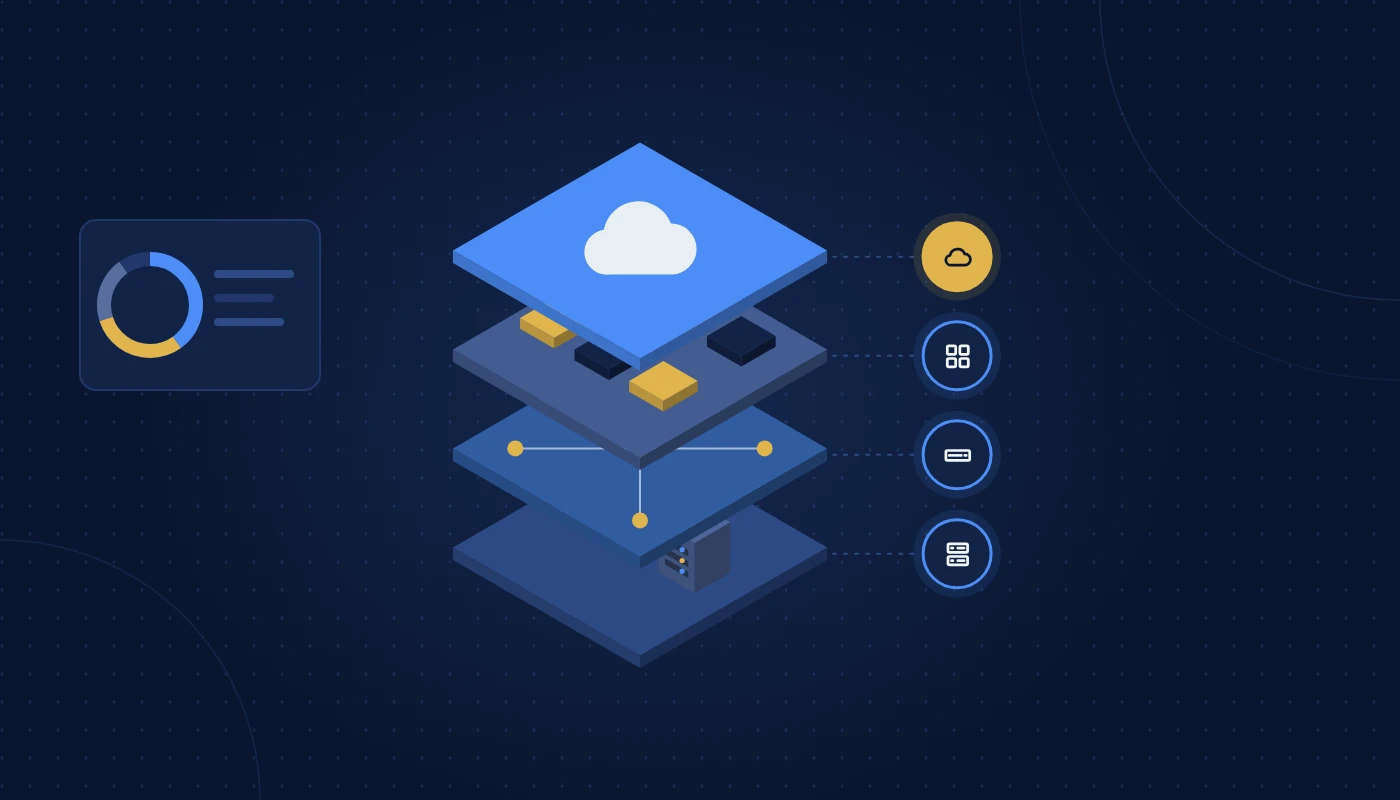
Your accounting software, your CRM, your email, your CCTV recordings and your shared folders are the things people see and use. Underneath them sit the layers that make those things possible:
- The physical layer: cables, switches, wireless access points, servers, storage, racks, UPS units and cooling.
- The platform layer: operating systems, virtualisation, databases, directory services and cloud platforms.
- The connectivity layer: internet links, firewalls, VPNs and the connections between branches or to the cloud.
- The people and process layer: the support, monitoring, backups, documentation and policies that keep everything running.
A useful test is this: if something must be working before an application can run, it is infrastructure. If it is the application itself, it is not. A Wi-Fi access point is infrastructure; the ERP that staff open over that Wi-Fi is an application that depends on it.
When companies talk about IT infrastructure services, they usually mean designing, supplying, installing and maintaining those lower layers so the business-facing systems stay reliable.
The core IT infrastructure components
Most IT infrastructure components fall into seven groups. The table below shows each one, what it does and the typical items you would find in an Egyptian office.
| Component | What it does | Typical examples in an Egyptian office |
|---|---|---|
| End-user devices | Where people do their work | Laptops, desktops, thin clients, tablets, printers, IP phones |
| Network | Connects devices to each other and the internet | Switches, Wi-Fi access points, routers, structured cabling, patch panels |
| Security | Controls who and what can connect, and blocks threats | Firewalls, endpoint protection, email filtering, multi-factor authentication |
| Servers and compute | Run shared applications and services | Rack or tower servers, virtual machines, cloud instances |
| Storage and backup | Keep data safe and recoverable | NAS, SAN, backup appliances, cloud backup, offsite copies |
| Facilities | Give equipment power, space and cooling | Server racks, UPS, precision or split AC, fire suppression, access-controlled room |
| Platforms and services | Provide shared software foundations | Active Directory or Entra ID, Microsoft 365, hypervisors, databases, DNS |
Network: the part everyone notices when it fails
The network is usually the first thing staff blame, and often they are right. Poorly planned cabling, consumer-grade switches and Wi-Fi access points placed for convenience rather than coverage cause most “the system is slow” complaints. Professional network solutions cover the design of VLANs, wireless coverage, internet failover and the switching that ties everything together.
Servers and storage: where your data lives
Even companies that have moved email to the cloud often keep at least one on-premise server for file shares, a local accounting database, CCTV recordings or a line-of-business application. Choosing the right hardware, RAID levels and backup targets is a specialist job; a partner offering server installation should size capacity for growth rather than just today’s data.
Facilities: the hidden Egyptian factor
In Egypt, the physical environment matters more than many owners expect. Summer ambient temperatures above 45°C, fine dust and occasional power fluctuations shorten the life of equipment sitting in a store room with no dedicated cooling. A small comms cabinet with a decent UPS and a properly sized AC unit is part of your infrastructure just as much as the server inside it. Our server room requirements checklist goes into detail on this.
Types of IT infrastructure: traditional, cloud and hybrid
There are three broad types of IT infrastructure. Very few Egyptian companies sit purely in one; most are somewhere on a spectrum.
Traditional (on-premise) infrastructure
Everything runs on hardware you own, inside your premises or a rented rack. You buy servers, storage and networking, and your team or a provider maintains them.
Strengths: full control, predictable performance, data physically in your office, no dependency on internet links for internal systems.
Weaknesses: capital spend up front, hardware refresh cycles every few years, responsibility for power, cooling and physical security, and harder scaling.
Cloud infrastructure
Compute, storage and often whole applications are rented from a provider such as Microsoft Azure, AWS, Oracle Cloud or a local Egyptian hosting provider. You pay for what you use and the provider looks after the hardware.
Strengths: fast to scale, no hardware to maintain, built-in resilience options, easy remote access.
Weaknesses: ongoing operational spend, dependence on internet connectivity, the need to manage cloud security and costs carefully, and data residency questions for regulated sectors. Several hyperscalers now operate UAE regions, which helps organisations that must keep certain data in-country.
Hybrid infrastructure
Hybrid combines both. A common Egyptian pattern is Microsoft 365 for email and collaboration, a cloud-hosted ERP, and a small on-premise footprint for file shares, CCTV and a local print server. Another is keeping a core database on-premise while using the cloud for backup and disaster recovery.
If you are weighing which direction to take for a specific system, our comparison of cloud vs on premise sets out the trade-offs side by side.
| Factor | Traditional | Cloud | Hybrid |
|---|---|---|---|
| Spending model | Mostly capital, periodic refresh | Mostly operational, monthly or annual | Mix of both |
| Speed to scale | Weeks (procure, ship, install) | Minutes to hours | Depends on workload |
| Control over hardware | Full | None (provider-managed) | Partial |
| Internet dependence | Low for internal systems | High | Medium |
| Typical fit | Latency-sensitive or regulated workloads, CCTV | Email, SaaS apps, variable workloads | Most growing SMEs |
IT infrastructure examples from Egyptian businesses
Definitions only go so far. Here are four generic IT infrastructure examples that reflect setups we commonly see across Egypt. None of them is a real client; they are composites to illustrate the pattern.
Example 1: A 12-person consultancy in a Cairo free zone
This is typical IT infrastructure for small business. The office sits in a co-working-style free zone building with shared internet.
- Devices: 12 laptops, one multifunction printer, a meeting-room display.
- Network: a small business firewall, one managed switch, two ceiling-mounted Wi-Fi access points.
- Platforms: Microsoft 365 Business Premium for email, Teams and device management; cloud accounting software.
- Storage: SharePoint and OneDrive, plus a third-party cloud backup of Microsoft 365 data.
- Servers: none on-site.
The lesson: a small team can run almost entirely on cloud services, but it still needs a proper firewall, managed Wi-Fi, device security and backup. “No server” does not mean “no infrastructure”.
Example 2: A 45-person trading company in 10th of Ramadan City
- Devices: 35 desktops and laptops, warehouse handheld scanners, label printers.
- Network: a firewall with dual internet links (one fibre, one backup), stacked switches with PoE for access points and cameras, structured cabling across office and warehouse.
- Servers and storage: two virtualised servers running the ERP database, file shares and a domain controller; a NAS as a local backup target.
- Facilities: a small server room with a rack-mounted UPS and a dedicated split AC.
- Security: CCTV with a network video recorder, card access on the warehouse door.
Here, the warehouse Wi-Fi and the reliability of the ERP server directly affect dispatch. Downtime is measured in delayed shipments.
Example 3: A three-branch clinic group in Alexandria and Tanta
- Network: site-to-site VPN or SD-WAN between branches, separate VLANs for clinical devices, guest Wi-Fi isolated from staff networks.
- Platforms: a cloud-hosted clinic management system, Microsoft 365, centralised identity.
- Security: stricter access controls and logging because of patient data, with health-sector data rules in mind.
- Backup: daily cloud backup plus documented recovery procedures.
Example 4: A 200-person engineering firm with a head office in New Cairo
- Compute: a small cluster of hosts with virtualisation, running design file servers, licence servers and project databases.
- Storage: high-capacity shared storage for large CAD and BIM files, with snapshots and offsite replication.
- Network: 10 Gb core switching, Wi-Fi 6 throughout, segmented networks for guests and IoT devices.
- Management: a monitoring platform, a ticketing helpdesk and a hardware maintenance contract.
As size grows, the infrastructure does not just get bigger. It gets more layered, more interdependent and more in need of formal management.
IT infrastructure management: keeping it all healthy
Buying the right equipment is half the job. IT infrastructure management is the ongoing work of keeping it secure, available and documented. It covers several disciplines.
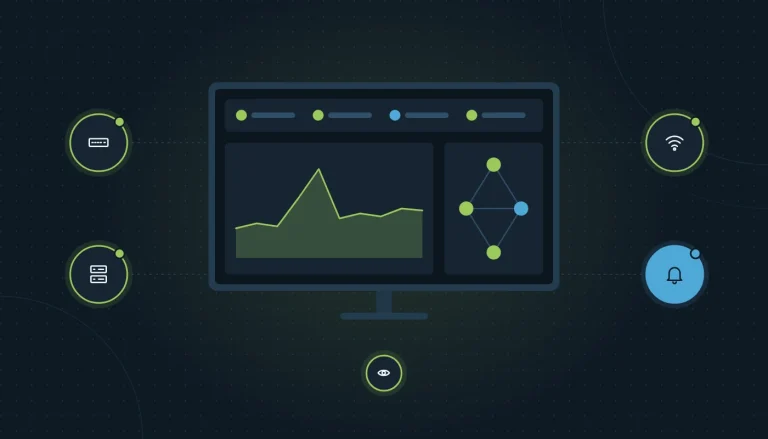
Monitoring and alerting
Someone, or something, needs to notice that a disk is filling up, a switch port is flapping or a backup failed overnight before users notice. Monitoring tools watch devices and services and raise alerts when thresholds are crossed.
Patching and updates
Operating systems, firmware on firewalls and switches, hypervisors and applications all need regular updates. Unpatched firewalls and VPN appliances remain one of the most common entry points for attackers.
Backup and recovery testing
A backup that has never been restored is a hope, not a plan. Good management includes scheduled test restores and a written recovery order: which systems come back first, and who decides.
Asset and lifecycle tracking
Knowing what you own, where it is, who uses it and when the warranty ends prevents surprises. Hardware in Egyptian conditions often needs replacing sooner than the manufacturer’s nominal lifespan suggests, especially fans and batteries.
Documentation and change control
Network diagrams, IP address plans, admin credentials stored in a password vault and a record of changes make troubleshooting far faster, and they protect you if a key staff member leaves.
Who does the work?
There are three common models:
- In-house team. Works well when you have enough scale to justify full-time staff and the skills to cover networking, servers, security and cloud.
- Fully outsourced. A provider of managed IT services takes responsibility for monitoring, support and maintenance under an agreed SLA.
- Co-managed. Your in-house IT person handles day-to-day users while a provider covers specialist areas, out-of-hours monitoring and projects.
Many SMEs in the Egyptian start with an IT AMC, an annual maintenance contract covering preventive maintenance visits, break-fix support and a defined response time. As they grow, they often move to a fuller managed service. Our IT AMC guide explains what a good contract should include.
Signs your IT infrastructure needs attention
Infrastructure rarely fails all at once. It degrades quietly. Watch for these warning signs:
- Staff routinely complain about slow file access or dropped Wi-Fi in particular areas.
- Nobody can produce a current network diagram or list of admin accounts.
- Servers or firewalls are past their vendor support date and no longer receive security updates.
- Backups “should be running” but no one has tested a restore this year.
- The server room is also the stationery cupboard, and the AC is shared with the office.
- Your UPS beeps occasionally and no one knows how long its batteries will last.
- New starters wait days for a working laptop and accounts.
- You have had a security incident, even a minor phishing compromise, and the root cause was never fully established.
If three or more of these sound familiar, an independent review is worthwhile. A structured IT health check looks at every layer, from cabling and power to identity and backups, and produces a prioritised list of fixes rather than a sales pitch.
How Egyptian regulations and conditions shape your infrastructure
Several local factors influence design decisions in ways that generic international articles miss.
E-invoicing and Corporate Tax readiness
Egypt’s Peppol-based e-invoicing programme requires in-scope businesses to exchange structured invoices through Accredited Service Providers. Larger businesses (revenue of EGP 50 million or more) are expected to appoint a provider by 30 October 2026 and go live from 1 January 2027, with others following in 2027. Your ERP or accounting system will need reliable connectivity and integration, which puts pressure on internet resilience and system availability.
Corporate Tax at 22.5% on taxable profit above the threshold also means financial records must be retained and retrievable for several years. That is an infrastructure question as much as an accounting one: where is the data, how is it backed up, and can you restore it years later?
Data residency
Government entities, banks, healthcare providers and some free-zone regulated firms may face rules on where data is stored. This shapes cloud choices and backup locations. Always check your sector regulator’s position before moving sensitive workloads offshore.
Climate and power
Heat and dust are the silent killers of Egyptian hardware. Plan for dedicated cooling, dust filters where practical, regular cleaning during preventive maintenance and UPS batteries that are tested and replaced on schedule. Building power is generally reliable, but brief interruptions during maintenance or in older buildings can still corrupt databases without a UPS and graceful shutdown.
Free zone versus mainland offices
Free zone business centres often provide shared internet and limited control over cabling. Mainland offices, particularly fitted-out shell-and-core units, give you more freedom but also make you responsible for cabling, risers and comms rooms. Factor this in early when you sign a lease.
Building or upgrading your IT infrastructure: a practical sequence
Whether you are fitting out a new office or fixing an ageing setup, this order avoids most expensive mistakes:
- Start with the business requirements. Which applications matter most, how many users, what growth over three years, and what downtime can each department tolerate?
- Decide what runs where. For each workload, choose on-premise, cloud or hybrid based on performance, compliance and support capacity.
- Design the network and cabling first. Cabling is cheap to do right during fit-out and very disruptive to redo later.
- Size servers, storage and backup. Include headroom for growth and a backup copy that is offsite or offline.
- Plan facilities. Rack space, power circuits, UPS runtime, cooling and physical access control.
- Layer in security. Firewall policies, endpoint protection, multi-factor authentication and email filtering from day one.
- Set up management. Monitoring, documentation, a support model and a maintenance schedule before go-live, not after the first outage.
Frequently asked questions
What is IT infrastructure in simple words?
It is everything your business systems need underneath them to work: devices, networks, servers, storage, cloud platforms, security tools, power and cooling, plus the processes and people that look after them.
What are the main IT infrastructure components?
The main components are end-user devices, network equipment and cabling, security systems, servers, storage and backup, facilities such as racks, UPS and cooling, and shared platforms like directory services and hypervisors.
What are the types of IT infrastructure?
There are three broad types: traditional on-premise, cloud and hybrid. Most Egypt SMEs today run a hybrid model, with email and some applications in the cloud and a small on-site footprint for files, CCTV or local systems.
What does IT infrastructure management involve?
IT infrastructure management covers monitoring, patching, backup and recovery testing, asset and lifecycle tracking, documentation, change control and user support. It can be handled in-house, outsourced or co-managed.
What IT infrastructure does a small business need?
IT infrastructure for small business usually means a business-grade firewall, managed switching and Wi-Fi, secured laptops, a cloud productivity suite, reliable backup and a support arrangement. Many small offices need no on-site server at all.
How often should IT infrastructure be reviewed?
A light review once a year and a full assessment every two to three years, or whenever you move offices, add a branch, adopt a major new system or suffer a security incident.
Conclusion
So, what is IT infrastructure? It is the foundation under every system your business relies on: the network, the hardware, the platforms, the facilities and the management practices that hold them together. Get it right and nobody notices it. Get it wrong and it shows up as slow systems, lost data and late invoices.
For Egyptian businesses, the right setup also accounts for local realities: heat, power, data residency, free zone constraints and the new e-invoicing obligations. Start with your business requirements, choose the right mix of on-premise and cloud, and put management in place from day one. You can read more practical articles in our IT infrastructure blog.