In this article
- What is IT support?
- The levels of IT support: L1, L2 and L3
- What is remote IT support?
- What is onsite support?
- Onsite vs remote IT support compared
- When a resident IT engineer makes sense
- Scenarios: what different Egyptian offices typically need
- The hybrid model: getting the best of both
- Signs your current support model is not working
- How to measure IT support quality
- What to put in your IT support SLA
- FAQ
- Conclusion
Most offices only think about IT support at the worst possible moment: the printer jams before a tender submission, the VPN refuses to connect on the day of an audit, or a new hire sits idle because their laptop is not ready. The question that follows is always the same: do we need someone here, or can this be fixed remotely?
This article explains what is IT support in practical terms, the levels of IT support from L1 to L3, how onsite vs remote IT support compare, and when it is worth having a resident IT engineer in your office. We finish with scenarios for different office sizes in Egypt and what to put in your SLA.
What is IT support?
IT support is the service that keeps people productive with technology. It covers fixing problems when they happen (reactive support), preventing them from happening (proactive maintenance) and helping people use systems well (user assistance).
In a typical Egyptian office, support requests fall into a handful of buckets:
- Access and accounts: password resets, locked accounts, multi-factor authentication problems, permissions to shared folders.
- Devices: laptops that will not boot, slow PCs, broken screens, printer and scanner faults, docking station issues.
- Software: Microsoft 365 issues, Outlook profiles, ERP client errors, licence activations, Arabic language and keyboard settings.
- Network and connectivity: Wi-Fi dropouts, VPN failures, internet outages, slow file access.
- Moves, adds and changes: new starters, leavers, desk moves, new printers, meeting-room equipment.
- Security events: suspicious emails, possible malware, lost devices.
Good IT support is not just a person who fixes things. It is a system: a way to log requests, prioritise them, assign them to the right skill level, resolve them within agreed times and learn from recurring issues.
The levels of IT support: L1, L2 and L3
Support providers organise work into tiers. Understanding the levels of IT support helps you see what can be handled remotely and what needs specialists.
Level 1 (L1): first-line support
L1 is the first point of contact, usually through a helpdesk phone line, email, chat or portal. L1 engineers log the request, gather details and resolve common issues such as password resets, Outlook problems, basic printer faults and software installs. A well-run L1 desk resolves a large share of tickets on first contact.
Level 2 (L2): technical support
L2 engineers take problems L1 cannot solve. They have deeper knowledge of servers, networks, Active Directory or Entra ID, endpoint management and business applications. Typical L2 work includes fixing group policy issues, troubleshooting VPNs, rebuilding user profiles, managing backups and configuring switches or firewalls.
Level 3 (L3): expert and engineering support
L3 handles complex, high-impact or architectural problems: storage failures, virtualisation clusters, firewall policy redesign, major security incidents, migrations and integration issues. L3 may be senior engineers within the provider or the vendor’s own technical support.
Level 0 and Level 4
Some frameworks add L0 (self-service: knowledge base articles, password self-reset portals) and L4 (external vendors or manufacturers, for example a server hardware replacement under warranty).
| Level | Who | Typical tasks | Mostly remote or onsite? |
|---|---|---|---|
| L0 | The user, via self-service | Password reset portal, how-to articles | Remote |
| L1 | Helpdesk analysts | Accounts, email, basic software and printer issues | Remote |
| L2 | Support engineers | Network, server, endpoint, application issues | Mostly remote, sometimes onsite |
| L3 | Senior or specialist engineers | Infrastructure failures, security incidents, projects | Mix; onsite for hardware and major works |
| L4 | Vendors and manufacturers | Warranty hardware, product bugs | Vendor-dependent |
A professional IT helpdesk service handles L1 and routes the rest up the chain with a clear record of what has already been tried.
What is remote IT support?
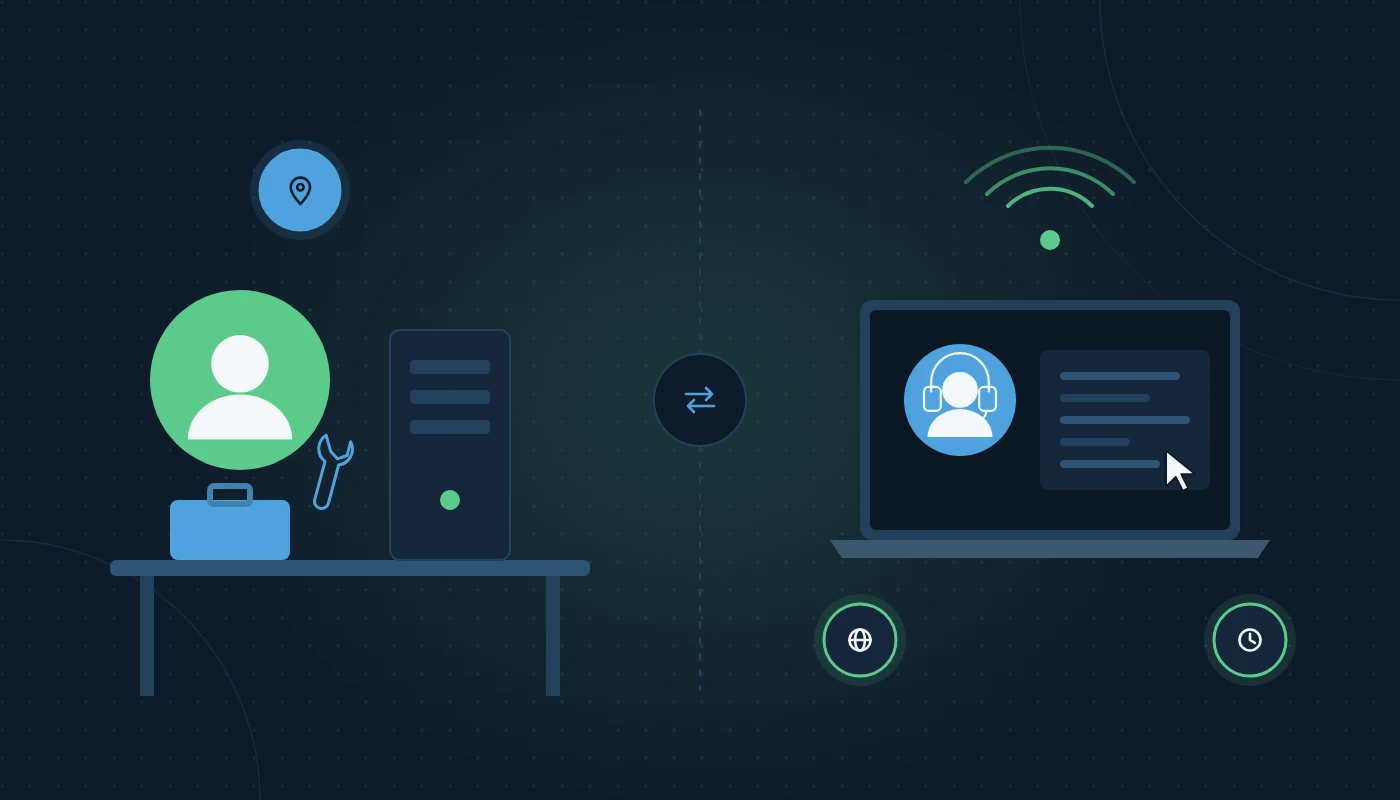
Remote IT support means an engineer connects to the user’s device or your systems over the internet, using secure remote-access tools, and fixes the problem without travelling. The user usually approves the session and can watch what the engineer does.
Remote support handles far more than people expect:
- Software installation, updates and configuration
- Microsoft 365, Teams and email problems
- Account and permissions management
- Server and firewall administration
- Patching, backups and monitoring
- Most network configuration changes
The advantages are speed and coverage. A remote engineer can start working within minutes, often while a user is still on the phone, and can support staff working from home, a client site or a hotel in Riyadh as easily as those in the office. Specialist remote IT support teams can also cover evenings, weekends and public holidays without anyone travelling.
The limits are physical. A remote engineer cannot replace a failed power supply, re-terminate a damaged network cable, move a printer or plug in a new docking station.
What is onsite support?
So what is onsite support? It is IT help delivered in person at your premises. An engineer visits, either on a scheduled basis or in response to a problem that cannot be solved remotely.
Onsite support is essential for:
- Hardware faults: failed disks, broken screens, dead power supplies, faulty switches.
- Physical installation: new desks, printers, access points, meeting-room displays, CCTV.
- Cabling and patching: tracing cables, patching ports, rack tidying.
- Office moves and fit-outs: decommissioning and recommissioning equipment.
- Situations where users struggle with remote sessions: senior executives, non-technical staff or complex multi-device issues.
- Preventive maintenance: cleaning, checking UPS batteries, inspecting server rooms for heat and dust, which is a real concern in Egyptian summers.
Onsite support comes in three main forms: on-demand visits, scheduled visits (for example one or two days a week) and a resident engineer stationed full-time at your office. Providers offering IT support services in Cairo typically offer all three.
Onsite vs remote IT support compared
Here is how onsite vs remote IT support stack up across the factors that matter most.
| Factor | Remote IT support | Onsite IT support |
|---|---|---|
| Response speed | Minutes; no travel | Depends on distance and traffic; same day typical |
| Coverage hours | Easy to extend to 24/7 | Usually business hours unless contracted otherwise |
| Hardware issues | Cannot fix physically | Can diagnose and replace |
| Home and travelling users | Fully supported | Not practical |
| Multi-site offices | One team covers all sites | Needs travel or local engineers |
| User experience | Efficient, but some users prefer face to face | Personal, reassuring, builds relationships |
| Proactive work | Monitoring, patching, backups | Physical checks, cleaning, cabling, audits |
| Scalability | Scales easily as headcount grows | Scales with engineer hours |
| Cost model | Usually per user, per device or per ticket | Per visit, per day or per resident engineer |
The honest answer for most Egyptian offices is: you need both. The question is the balance.
When a resident IT engineer makes sense
A resident IT engineer is a provider’s engineer placed at your office full-time or for fixed days each week, backed by the provider’s remote team and senior specialists.
Full-time dedicated IT engineer for office
A dedicated IT engineer for office use typically makes sense when one or more of these apply:
- Headcount is roughly 60–80 users or more in one location, generating a steady flow of tickets every day.
- Hardware density is high: design workstations, trading floors, meeting rooms with AV equipment, warehouses with scanners and label printers.
- Downtime is extremely costly: clinics, logistics hubs, hotels and retail head offices where minutes matter.
- Executives expect in-person service.
- There are on-site systems that need daily care, such as a server room, CCTV and access control.
Why use a provider’s resident engineer instead of hiring?
Hiring directly gives you full control but also full responsibility: recruitment, visas, training, leave cover and retention. A provider’s resident engineer comes with backup. When the engineer is on annual leave, sick or travelling home for Eid, a replacement covers. When a problem exceeds their skills, L3 specialists step in. You get one familiar face plus a team behind them.
Whether to build an internal team or outsource is a bigger strategic question. Our comparison of in-house IT vs outsourced support walks through the trade-offs in more depth.
Scenarios: what different Egyptian offices typically need
These generic examples illustrate how the right mix changes with size and type of business.
A 10-person marketing agency in Smart Village
Staff use MacBooks and cloud apps, and two people work from home three days a week. Remote support covers almost everything. On-demand onsite visits handle the occasional hardware swap or new meeting-room screen. A resident engineer would sit idle most of the day.
A 35-person accounting practice in Giza
Desktop PCs, a local file server, scanners and a tax software suite. Peak loads come around VAT return deadlines and Corporate Tax filing periods. Remote helpdesk for daily issues plus scheduled onsite visits once a week for maintenance, new starters and printer issues, with emergency visits available. Many firms of this size bundle this into an IT AMC in Cairo or Upper Egypt, which covers preventive maintenance and break-fix visits.
A 120-person logistics company with a 10th of Ramadan City warehouse
Office staff, warehouse handhelds, label printers, CCTV, a server room and two shifts. A resident IT engineer on site during the day shift, remote support for evenings and night shift, and L3 escalation for server and network issues. The warehouse cannot afford to wait for an engineer to drive in from another governorate.
A hospitality group with six restaurants across Cairo and Alexandria
POS terminals, kitchen printers, Wi-Fi, CCTV and a small head office. Remote monitoring and support for POS and network issues across all sites, plus a roving onsite engineer for scheduled visits and hardware swaps, and an agreed emergency response for peak-hour POS failures.
The hybrid model: getting the best of both
The hybrid model combines a remote helpdesk with planned and emergency onsite visits, or a resident engineer supported by a remote team. It is now the default for most growing Egyptian businesses because it matches how people work: some in the office, some at home, some travelling.
A typical hybrid structure looks like this:
- Single point of contact. All requests go through one helpdesk number, email and portal, whether the fix is remote or onsite.
- Remote-first triage. L1 tries to resolve remotely; if a physical fix is needed, the ticket is dispatched to an onsite engineer with the diagnosis already done.
- Scheduled presence. Regular onsite days for maintenance, new starters and hands-on work.
- Proactive monitoring. Servers, network devices and backups watched remotely so problems are fixed before users notice.
- Escalation path. Clear routes to L3 specialists and vendors.
This structure is the backbone of most managed IT services in Cairo, whichever mix of remote and onsite effort sits inside it.
Signs your current support model is not working
Support arrangements tend to drift. What suited a 20-person office three years ago may be failing a 50-person office today. Look for these warning signs:
- Staff fix things themselves. If colleagues swap cables, reinstall software or share admin passwords to avoid logging a ticket, support is too slow or too hard to reach.
- The same issues keep returning. Recurring Wi-Fi drops or the same printer failing every week suggests nobody is looking at root causes.
- New starters wait days. Onboarding should be a checklist, not a scramble. If laptops, accounts and access are not ready on day one, the process is broken.
- No one can say how many tickets were raised last month. Without data, you cannot judge whether support is improving or declining.
- Onsite visits are always “tomorrow”. For a business that relies on physical equipment, this points to too little onsite capacity.
- Remote users feel forgotten. Hybrid workers who can only get help when they come into the office are a sign the model is too onsite-heavy.
- One person knows everything. If your sole IT person goes on leave and the office slows down, you have a single point of failure.
How to measure IT support quality
Whether support is in-house, outsourced or mixed, a few simple measures tell you whether it is doing its job:
| Measure | What it shows | What good looks like |
|---|---|---|
| First-contact resolution | How often L1 fixes issues immediately | A high and rising share of tickets |
| SLA compliance | Whether response and resolution targets are met | Consistently met, with misses explained |
| Ticket volume per user | Overall health of the environment | Stable or falling as proactive work takes effect |
| Repeat tickets | Whether root causes are fixed | Falling month on month |
| User satisfaction | How staff feel about the service | Short surveys after ticket closure |
| Backlog age | Whether requests are being left to drift | Few tickets older than a week |
Review these monthly with your provider or internal team. The conversation matters as much as the numbers: why did tickets rise, what is being done about the recurring printer issue, which devices are due for replacement?
What to put in your IT support SLA
Whatever model you choose, a Service Level Agreement turns promises into commitments. Include at least:
- Support hours: business hours only, extended hours or 24/7, and how Egyptian public holidays and Ramadan hours are handled.
- Priority definitions: what counts as P1 (business down), P2 (major impact), P3 (single user), P4 (requests).
- Response and resolution targets per priority, separately for remote and onsite. Response means an engineer is working on it; resolution means it is fixed.
- Onsite attendance commitments: maximum time to arrive for P1 issues, and coverage per governorate.
- Scope: which devices, applications and locations are covered, and what is excluded.
- Escalation contacts: named managers at the provider.
- Reporting: monthly ticket volumes, SLA performance, recurring issues and recommendations.
- Security responsibilities: who handles patching, backup checks and incident response.
Ask for sample monthly reports before signing. They reveal more about service quality than any brochure.
Frequently asked questions
What is IT support in simple terms?
IT support is the service that helps people use technology and fixes problems with devices, software, accounts and networks. It includes reactive fixes, proactive maintenance and user assistance.
What is onsite support?
Onsite support means an engineer attends your premises in person, either on demand, on a schedule or as a resident engineer, to handle hardware, installation and hands-on tasks that cannot be done remotely.
What are the levels of IT support?
The common levels are L1 (helpdesk, basic issues), L2 (deeper technical problems), L3 (expert and infrastructure issues), sometimes with L0 for self-service and L4 for vendor support.
Is remote IT support secure?
It is secure when the provider uses reputable remote-access tools with encryption, multi-factor authentication for engineers, user consent prompts and session logging. Ask your provider to explain their controls.
When do I need a dedicated IT engineer for my office?
Usually when you have a steady daily volume of tickets, many on-site devices or systems, and a high cost of downtime. For many Egyptian offices this begins somewhere around 60 to 80 users in one location.
Can I combine onsite and remote IT support?
Yes, and most businesses should. A hybrid model gives fast remote fixes for most issues and hands-on help when hardware or physical work is needed.
Conclusion
What is IT support worth to your business? It is the difference between a ten-minute disruption and a lost day. Remote support delivers speed, coverage and scale; onsite support handles hardware, installations and the human touch; a resident IT engineer makes sense when volume and downtime costs justify a permanent presence.
For most Egyptian offices, the right answer is a hybrid: one helpdesk, remote-first triage, scheduled and emergency onsite help, and clear SLAs that reflect your hours, holidays and locations. If you are also reviewing your wider setup, our article on what IT infrastructure is is a good companion read, and you will find more in our IT infrastructure blog.