
ERP guide
The ERP Implementation Life Cycle: A Step-by-Step Guide for Egypt Businesses
In this guide
- The ERP implementation life cycle at a glance
- Before you start: readiness and team
- Phase-by-phase ERP implementation steps
- Realistic timelines by company size
- Egypt-specific requirements to design in early
- What changes in an Odoo ERP implementation
- Data migration without drama
- Testing that actually catches problems
- ERP implementation checklist (Egypt)
- ERP go live checklist
- After go-live: hypercare and optimisation
- ERP implementation challenges in Egypt
- Common mistakes
- FAQ
- Conclusion
Most ERP projects that go wrong in Egypt do not fail because of the software. They fail because the business skipped a stage of the ERP implementation life cycle, rushed data, or went live in the middle of a VAT quarter with untrained users. This guide walks through every phase, from the first workshop to the first month after go-live, with the roles, timelines, risks and checklists we use on real projects.
Key takeaways
- The ERP implementation life cycle has seven practical phases: prepare, discover, design, build, migrate and test, train and go live, then stabilise and optimise.
- Most delays come from three places: unclear scope, late data cleansing and key users who are too busy to test.
- Egyptian projects must design for VAT, Corporate Tax records and the coming e-invoicing mandate from day one, not as an afterthought.
- Time your go-live around VAT return periods, Ramadan working hours and year-end close.
- A written go-live checklist with clear “go / no-go” criteria is the single best protection against a chaotic first week.
- Budget time (not just money) for hypercare: the first four to eight weeks after go-live decide whether people adopt the system.
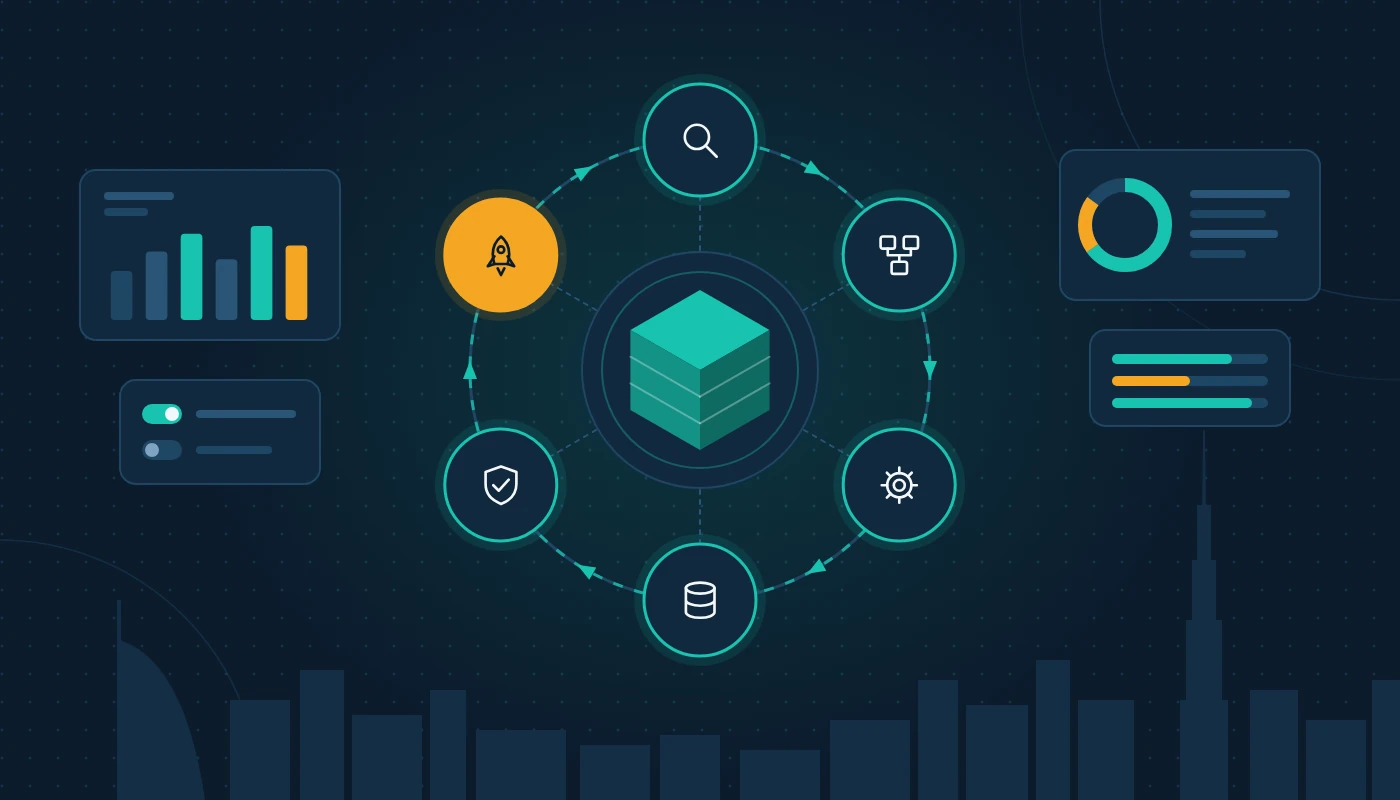
The ERP implementation life cycle at a glance
An ERP implementation life cycle is the sequence of stages a business moves through to replace its existing tools (spreadsheets, standalone accounting packages, legacy systems) with one integrated platform. Different vendors use different names, but the underlying work is the same.
| Phase | Main goal | Key outputs | Who leads |
|---|---|---|---|
| 1. Prepare | Agree why, what and who | Business case, scope, project charter, team | Sponsor + project manager |
| 2. Discover | Understand how the business really works | Current-state process maps, requirements list, gap list | Consultant + key users |
| 3. Design | Decide how the system will work | Solution design document, chart of accounts, approval matrix | Consultant + finance lead |
| 4. Build | Configure, customise and integrate | Configured system, integrations, reports, print templates | Implementation team |
| 5. Migrate and test | Load clean data and prove it works | Migration files, test scripts, UAT sign-off | Data owner + key users |
| 6. Train and go live | Get people ready and switch over | Trained users, cut-over plan, go-live decision | Project manager |
| 7. Stabilise and optimise | Fix, adopt and improve | Issue log, adoption metrics, phase 2 backlog | Support team + process owners |
The phases overlap in practice: data cleansing should start during discovery even though the load happens much later.
Before you start: readiness and team
Is the business ready?
Before signing anything, answer four questions honestly. Do we know which problems we are solving? Is there a senior sponsor who will make decisions quickly? Can we free up key users for several hours a week? Is our current data in a state we would trust?
If any answer is “no”, fix that first. A short readiness review with experienced ERP consultants is far cheaper than finding these gaps in month four.
The core project team
Even a small project needs named people in these roles:
- Executive sponsor: the owner, CEO or CFO who breaks deadlocks.
- Internal project manager: owns the plan and issue log (part-time is fine; nobody is not).
- Process owners / key users: one per area; they define requirements, test and train colleagues.
- Data owner: extracts, cleanses and validates master data and balances.
- Implementation partner: consultants and developers who configure the platform.
- IT lead: hosting, accounts, devices, printers and network.
In many Egyptian firms the finance manager ends up holding three of these roles alongside month-end close. Agree backfill early.
Choosing the platform and partner first
This guide assumes you have already selected your system. If you have not, read our companion guide to choosing ERP software in Egypt before committing. If you are torn between the two most common shortlists we see, our Odoo vs Dynamics 365 comparison sets out the trade-offs in plain English.
Phase-by-phase ERP implementation steps
These are the ERP implementation steps in the order we run them. Each one ends with a clear deliverable that someone signs off.
Step 1: Prepare and mobilise
Write a one-page project charter: objectives, scope (which companies, branches, modules and processes), out-of-scope items, target go-live window, and decision rights. Hold a kick-off meeting with every key user present so they hear the “why” directly from the sponsor.
Step 2: Discover current processes
Run workshops per department using real transactions: how a quotation becomes an invoice, how a supplier bill gets approved and paid. Capture exceptions such as consignment stock or back-to-back orders.
The output is a requirements list where every item is marked as standard, configuration, customisation or “not needed”. This list is the scope baseline for the rest of the project.
Step 3: Design the future state
Translate requirements into a solution design. Typical design decisions include the chart of accounts, analytic dimensions (branch, department, project, cost centre), approval workflows, numbering sequences, tax codes, warehouse and location structure, and user roles.
Every customisation adds build time, testing and long-term maintenance, so ask “can we change the process instead?” first.
Step 4: Build and configure
The implementation team configures the system, builds approved ERP customization items, sets up integrations (bank, e-commerce, payroll, logistics) and designs printed documents such as tax invoices, delivery notes and statements in English and Arabic where required.
Ask for short demos every fortnight rather than one big reveal at the end.
Step 5: Migrate data and test
Load master data (customers, suppliers, products, chart of accounts), then open balances (trial balance, open invoices, stock on hand, fixed assets). Run at least two full trial migrations before the final one.
Testing runs in layers: unit testing by the consultants, end-to-end process testing, then user acceptance testing (UAT) by your own staff using real scenarios. More on both below.
Step 6: Train users and go live
Train by role, in the system, with your own data, two to three weeks before switch-over. Then freeze old systems, load final balances, reconcile and decide go / no-go.
Step 7: Stabilise and optimise
The first weeks after go-live are about fixing issues fast and building confidence. Once stable, start a backlog of improvements for a second phase.
Realistic timelines by company size
Timelines depend on scope, data quality, the number of entities and how available your people are. The ranges below are typical for Egyptian mid-market projects using a modern cloud ERP; treat them as a starting point for planning, not a promise.
| Business profile | Typical scope | Indicative duration |
|---|---|---|
| Small business, 1 entity, under 20 users | Accounting, sales, purchasing, basic inventory | 6–12 weeks |
| Growing SME, 1–2 entities, 20–75 users | Above plus warehouse, CRM, approvals, some integration | 3–6 months |
| Mid-market group, multiple entities or free zone + mainland | Multi-company, intercompany, manufacturing or projects, several integrations | 6–12 months |
| Complex group with heavy customisation | Multiple countries, deep integrations, industry-specific modules | 12 months or more, often phased |
Two Egyptian timing points matter: shorter working hours in Ramadan, and long summer leave that can stall testing for weeks.
Egypt-specific requirements to design in early
VAT
Egypt VAT at the standard rate of 14% touches almost every transaction. The design phase should settle tax codes (standard-rated, zero-rated, exempt, out of scope, reverse charge on imports of services and designated goods), tax invoice layouts, credit note rules and how the VAT return boxes will be populated. If you operate in a designated zone, the treatment of goods movements needs specific attention.
Corporate Tax
Corporate Tax at 22.5% on taxable income above the threshold needs reliable statements and records. Design accounts so non-deductible expenses and related-party transactions are easy to isolate.
E-invoicing
Egypt is moving to a Peppol-based “5-corner” e-invoicing model using Accredited Service Providers (ASPs), covering B2B and B2G transactions (B2C is excluded for now). Businesses with revenue of EGP 50 million or more need to appoint an ASP by 30 October 2026 and go live on 1 January 2027; other businesses appoint by 31 March 2027 and go live on 1 July 2027; government entities go live on 1 October 2027.
If your ERP project will go live in late 2026 or 2027, e-invoicing is not optional scope. Your customer and supplier master data needs the identifiers the system will require, and your invoice data must be structured, not just printed. Our e invoicing Egypt page explains how ERP and ASP connections fit together.
Language, currency and multi-entity
Many Egyptian groups run free zone and mainland companies side by side. Decide early how they sit in the ERP, how intercompany works and which documents must be bilingual. Test multi-currency purchasing and landed costs with real shipments.
What changes in an Odoo ERP implementation
The life cycle above applies to any platform, but an Odoo ERP implementation has a few characteristics worth planning for.
Modular rollout is natural
Odoo is built as a set of apps, so phasing (accounting and sales first, then inventory, then manufacturing or HR) is straightforward and suits SMEs wanting quick wins.
Community vs Enterprise decisions
Some features, including certain accounting reports, studio-style configuration and official hosting options, differ between Odoo Community and Enterprise editions. Settle the edition and hosting model (Odoo Online, Odoo.sh or self-hosted) in the design phase because it affects which customisations are possible.
Localisation and version upgrades
Odoo ships an Egyptian localisation with a VAT-ready chart of accounts and tax report, but review it against your own tax positions. Major versions arrive roughly yearly, so keep custom modules lean and documented. If you want a partner that runs Odoo ERP projects end to end, ask how they handle upgrades before you sign.
Data migration without drama
Data is where most schedules slip. Treat migration as its own workstream with an owner, a plan and test cycles.
What to migrate
- Always: chart of accounts, customers, suppliers, products, opening trial balance, open receivables and payables, valued stock on hand, fixed assets and open orders.
- Rarely: full transaction history. Keep the old system or an archive available for lookups and audits instead.
How to do it safely
Start cleansing early (duplicates, naming, TRNs, obsolete items), cut over at a month-end and reconcile every migrated balance to the old system. Specialist ERP data migration services are worth it when you are moving from a legacy database or several disconnected systems.
Remember Egyptian record-keeping rules: VAT and Corporate Tax records must be retained for several years, so plan how historical data will remain available after the old system is switched off.
Testing that actually catches problems
Write scenarios, not just tick boxes
A useful test script describes a real event: “Sell 120 units to a VAT-registered customer in Giza, deliver and invoice 80, receive a cheque, deliver the balance next week.” Each step has an expected result, including accounting entries and VAT.
Include the awkward cases
Credit notes, returns, foreign-currency invoices, advances, landed costs, intercompany sales and period-end closing break in week one if nobody tested them.
Get proper UAT sign-off
UAT is done by your own staff, not the consultants, and each process owner signs off their area. Critical defects block go-live; minor ones can wait.
ERP implementation checklist (Egypt)
Use this ERP implementation checklist Egyptian teams can run as a control list across the life cycle.
Preparation and design
- ☐ Project charter signed with scope, out-of-scope and success measures
- ☐ Sponsor, project manager, key users and data owner named
- ☐ Requirements list classified (standard, configuration, customisation, not needed)
- ☐ Chart of accounts and analytic dimensions approved by finance
- ☐ VAT tax codes and return mapping reviewed by your tax adviser
- ☐ Corporate Tax reporting needs captured in the account structure
- ☐ E-invoicing approach and ASP timeline agreed
- ☐ Bilingual document templates defined (tax invoice, credit note, statement)
- ☐ Entity structure decided (free zone, mainland, branches, intercompany)
Build and data
- ☐ Custom developments specified, estimated and approved in writing
- ☐ Data cleansing started, duplicates removed, TRNs validated
- ☐ At least two trial migrations completed and reconciled
- ☐ User roles and access rights designed around segregation of duties
Testing and readiness
- ☐ End-to-end test scripts written for every core process
- ☐ UAT completed and signed by each process owner
- ☐ Role-based training delivered with attendance recorded
- ☐ Support model after go-live agreed
ERP go live checklist
Go-live is a decision, not a date. This ERP go live checklist sets the criteria that should all be true before you switch.
| Area | Go-live criterion | Owner |
|---|---|---|
| Data | Final balances loaded and reconciled to the old system | Data owner + finance |
| Testing | No open critical defects; workarounds documented for minor ones | Project manager |
| Users | Every active user trained and can log in | Key users |
| Documents | Tax invoice, delivery note and statements print correctly | Finance |
| Integrations | Bank feeds, online store and other links tested with live credentials | IT lead |
| Hardware | Printers, barcode scanners and POS devices tested at each site | IT lead |
| Access | Old system set to read-only; new user permissions reviewed | IT lead |
| Support | Hypercare rota published with names and response times | Partner |
Then the final checks on the day:
- ☐ Cut-over timetable agreed hour by hour
- ☐ Backups of the old system taken and verified
- ☐ Opening stock count completed at each warehouse
- ☐ First invoices, receipts and purchase orders posted and checked
- ☐ Go / no-go meeting held and decision recorded
After go-live: hypercare and optimisation
The first four to eight weeks
Hypercare means extra support on hand while users find their feet. Expect a spike in questions in the first fortnight. Log every issue, close easy ones fast and publish short “how to” notes.
The first month-end close and VAT return are the real tests; plan extra consultant time for both.
Measure adoption
Watch for workarounds: orders kept in Excel, approvals done on WhatsApp. Our blog on getting your team to actually use a new ERP covers practical ways to fix this.
Plan ongoing support
Once the project team disbands, you still need someone to answer questions, apply updates and make small changes. Agree a support model in advance, whether internal, external or mixed. Many Egyptian businesses use an annual arrangement for ERP support services so that issues are logged, prioritised and fixed within agreed response times.
ERP implementation challenges in Egypt
Every market has its own friction. These are the ERP implementation challenges we see most often in Egyptian businesses, with practical responses.
Key users with no time
Lean teams mean key users miss workshops and testing, so the project stalls or goes live on assumptions. Agree protected project time in writing.
Scope creep disguised as “small changes”
Small requests add up. Every new request is estimated and approved by the sponsor, or parked for phase 2.
Regulatory change mid-project
VAT clarifications, Corporate Tax guidance and e-invoicing rules have all evolved recently. Build in a review point with your tax adviser before go-live so the configuration reflects current rules.
Choosing a partner on price alone
The lowest proposal often excludes data migration, training or support, which then appear later as change requests. Compare proposals on scope, methodology and team experience. An experienced ERP implementation company will show you its plan, its test approach and the names of the people doing the work.
Common mistakes
- Going live at the wrong time. Mid-quarter, during year-end audit or the week before Eid holidays. Pick a clean month-start with full team availability.
- Copying the old process into the new system. If you rebuild every spreadsheet habit, you get a more expensive spreadsheet. Use the project to simplify.
- Too much customisation in phase 1. Start close to standard, live with it for a few months, then customise based on real experience.
- Skipping the second trial migration. The first trial always reveals problems. The second proves they are fixed.
- No owner after go-live. Without a named process owner, small issues pile up and users drift back to old habits.
- Leaving e-invoicing for later. Retrofitting structured invoice data after go-live is harder than designing for it now.
Frequently asked questions
What are the stages of the ERP implementation life cycle?
Most projects follow seven stages: prepare, discover, design, build, migrate and test, train and go live, then stabilise and optimise. Names vary between vendors and partners, but the work and the order are broadly the same.
How long does an ERP implementation take in Egypt?
Small focused projects can go live in a few months; multi-entity or manufacturing projects often take six to twelve. Scope, data quality and key-user time decide it.
What are the biggest ERP implementation challenges?
Unclear scope, limited key-user time, poor data, excessive customisation and weak training. In Egypt, e-invoicing and free zone plus mainland structures add complexity.
Is an Odoo ERP implementation different from other ERPs?
The life cycle is the same, but Odoo’s modular design makes phased rollouts easy. You also need to decide early between Community and Enterprise editions and choose a hosting model, and keep custom code lean so annual version upgrades remain manageable.
What should be on an ERP implementation checklist for Egypt?
Include project charter and team, VAT tax codes and return mapping, Corporate Tax reporting needs, e-invoicing readiness, bilingual documents, entity structure, integrations, data cleansing, trial migrations, UAT sign-off, training and a post-go-live support model.
What goes on an ERP go live checklist?
Reconciled balances, no critical defects, trained users, tested documents, integrations and hardware, a read-only old system, a hypercare rota and a recorded decision.
Do we need an implementation partner?
Very small businesses sometimes self-implement cloud accounting tools. For a full ERP with inventory and many users, a partner brings a tested method and lessons from earlier projects.
Conclusion
A successful ERP implementation life cycle is less about software features and more about discipline: a clear scope, people with time to contribute, clean data, honest testing and a firm go / no-go decision. For Egyptian businesses, it also means designing for VAT, Corporate Tax and e-invoicing from the very first workshop.
Use the checklists above to keep your project on track, and revisit them at each phase gate. If you are still mapping out your options, browse the full range of ERP software Egypt businesses use, or explore more practical articles in our guides library.
Ready to plan your ERP rollout with confidence?
More ERP guides
How to Choose the Best ERP Software in Egypt: A 2026 Buyer’s Guide
How to choose the best ERP software in Egypt: requirements checklist, top platforms compared, e-invoicing readiness and picking the right provider.
Construction ERP Software Egypt Guide: A Contractor’s Handbook to Job Costing, Billing and Control
A practical guide to construction ERP software in Egypt: job costing, progress billing, retention, subcontractors, VAT and how to choose the right system.
Real Estate ERP Software in Egypt: Leasing, Accounting and Property Management in One System
Choose and implement real estate ERP software in Egypt: leasing, tenant and owner accounting, service charges, maintenance, CRM and Ejari-ready workflows.